
Smartcric APK is an Android application that provides live cricket scores, ball-by-ball commentary, match schedules, and cricket news. The app also offers live HD streaming of all ongoing cricket matches.
How to Add Smartcrichd.com to your Android Home Screen
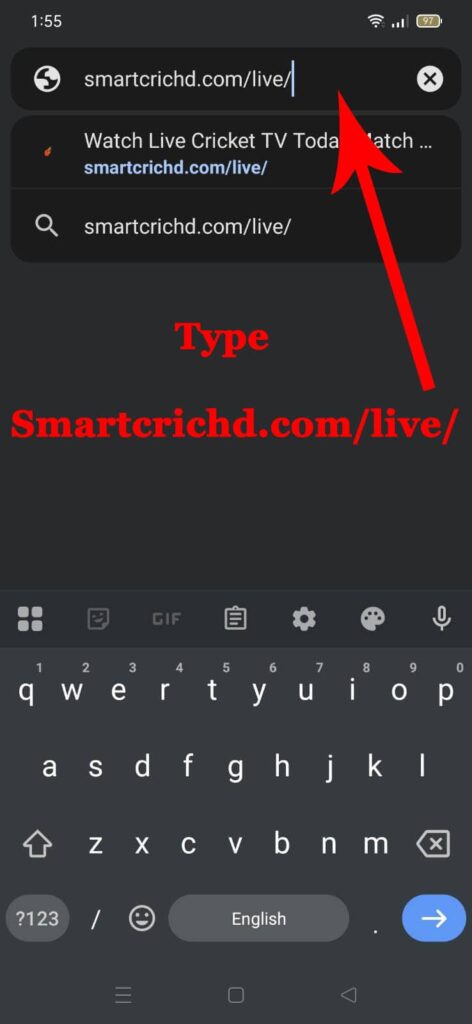
- Step 1: Open the Chrome app on your Android device and navigate to the website you want to add. Type https://smartcrichd.com/live/ into the address bar.
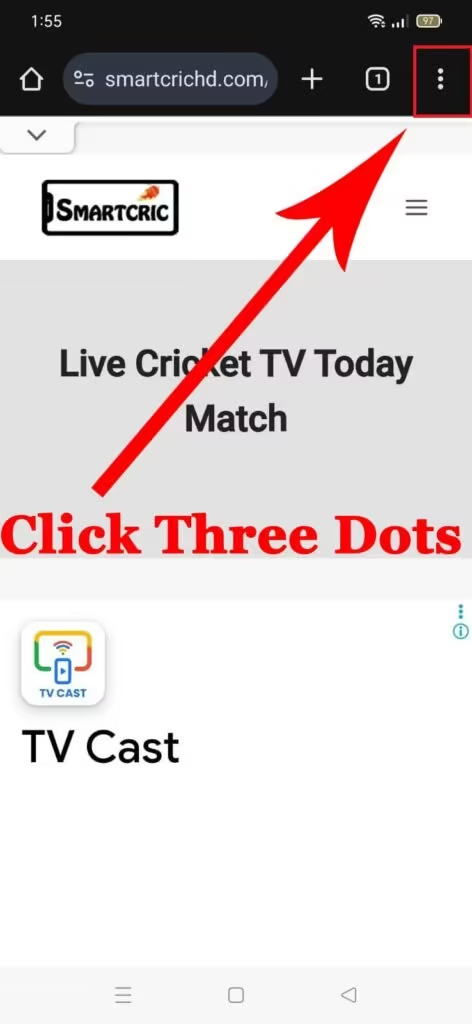
- Step 2: Once the page loads, tap the three vertical dots (⋮) icon in the top-right corner of the browser.
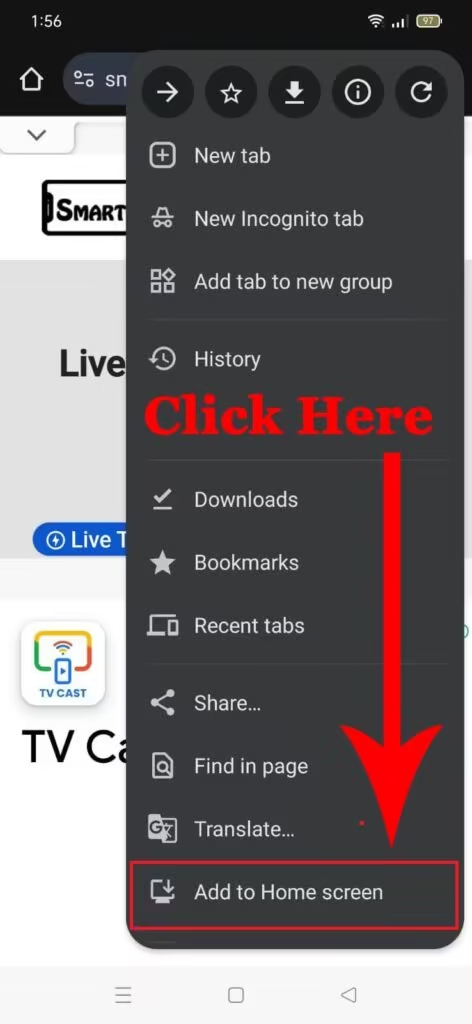
- Step 3: In the drop-down menu, scroll down and tap “Add to Home screen”.
- Step 4: A pop-up window will appear, showing the website’s favicon (the small icon) and a suggested name, such as “SmartCric HD.” You can change this to a shorter name if you prefer.
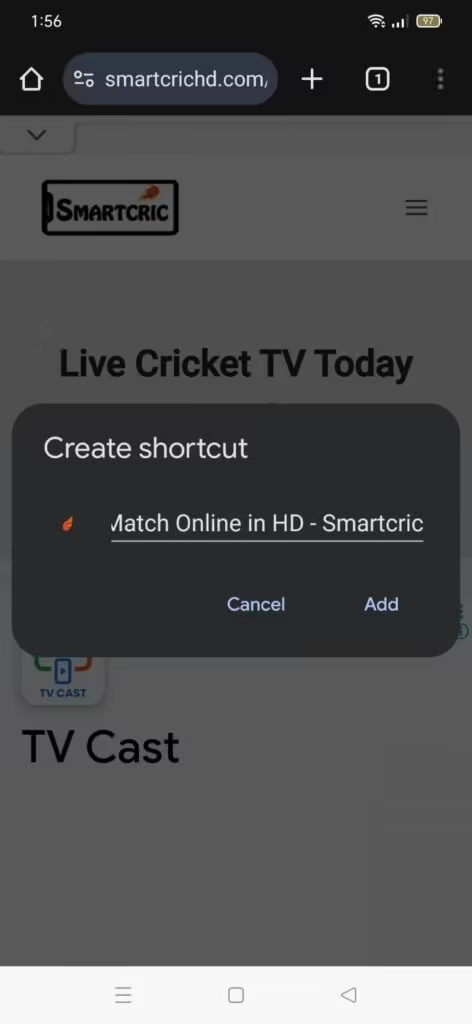
- Step 5: Tap “Add,” and then tap “Add” again in the confirmation window.

The shortcut icon will now appear on your home screen or within your app drawer. Tapping it will open the live stream page directly in Chrome.
How to Add Smartcrichd.com to your iPhone Home Screen
To achieve the same goal on iOS, you need to have a Safari browser.
- Step 1: Open the Safari app on your iPhone or iPad. Navigate to the website you want to add. Type https://smartcrichd.com/live/ into the address bar.
- Step 2: Tap the Share button (the square with an arrow pointing up), which is typically in the bottom toolbar.
- Step 3: In the menu that appears, scroll down and tap “Add to Home Screen”.
- Step 4: A preview of the shortcut will appear. Here, you can change the name displayed below the icon.
- Step 5: Tap “Add” in the top-right corner.
The new SmartCric HD live stream icon will be added to your home screen. Tapping it will immediately open the page in a dedicated Safari window.
Smartcric APK
The Smartcric APK is a popular live cricket streaming app among the fans who want quick access to match updates. Known for its design and simple interface, the app focuses on delivering a smooth experience even on devices with limited storage or slower internet connections.
Key Features
1. Real-Time Match Updates
Whether it’s an international match or a domestic league fixture, cricket fans can watch all the live cricket match updates on the app.
2. Lightweight and Fast
Unlike many bulky sports apps, Smartcric APK is designed to run smoothly on low-end devices. The app loads quickly and uses minimal data, making it ideal for users with limited bandwidth.
3. Easy Navigation
Smartcric keeps things simple; its minimalist interface lets you find live matches, upcoming fixtures, and news with just a tap.
4. Match Schedules & Fixtures
Fans can browse upcoming tours, cricket series details, and match timings without switching platforms.
5. Cricket News & Updates
Besides the schedule, the app also includes cricket news and updates, helping fans stay informed about live streaming, TV channels, schedule, and squad.